Here's a tutorial to set up an IPTV app on BuzzTV Box from scratch, Easy steps!
To begin using the Area51 IPTV service on your BuzzTV Box, Follow the steps below for easy setup:
Set up your BuzzTV box with The portal URL (Highly recommended):
In Some buzzTV Models
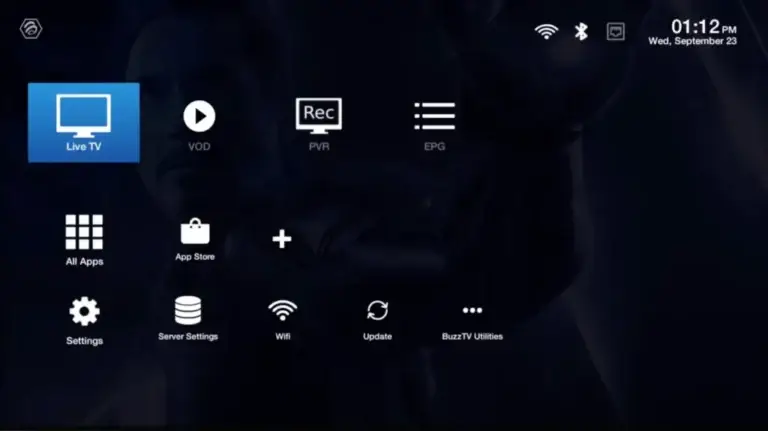
Step 1: Go to Live TV section.
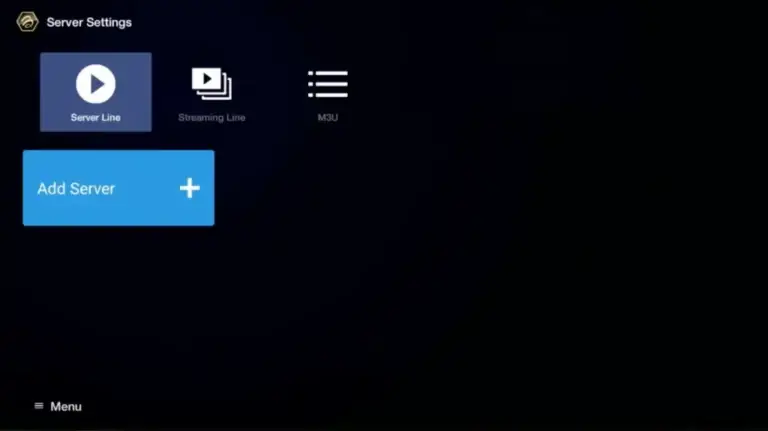
Step 2: Select “Server Line” or “MAC Server“.
Step 3: Click on “Add Server” or “Add MAC Server“.
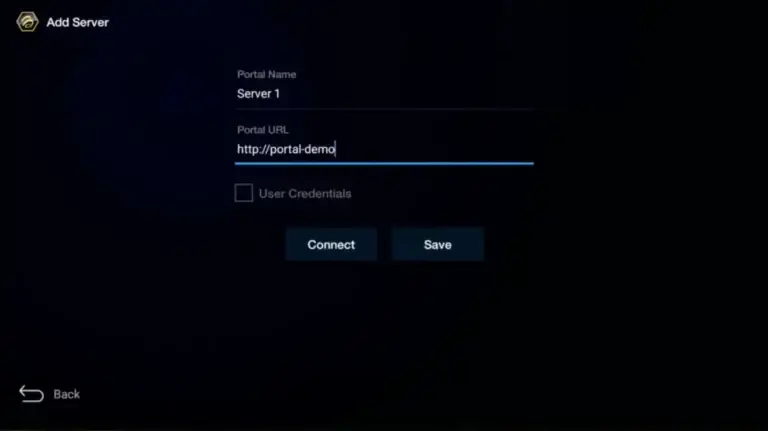
Step 4: Enter “Helix IPTV” as the Portal Nickname in the first box. Then in the second paste the Portal URL provided by us after subscribing and Click on “CONNECT”.
**Please note, After payment, submit the Form with your device’s MAC address (you can find it at the bottom of your box. Look for a label that says “MAC” or “MAC Address”). This step is essential for activating your IPTV LEVEL UP Service subscription. Get Your Subscription Here.
Congratulations! You’ve now completed the setup of your BuzzTV Box for seamless streaming.