Follow these steps below to install ibo Player Pro app on your Firestick
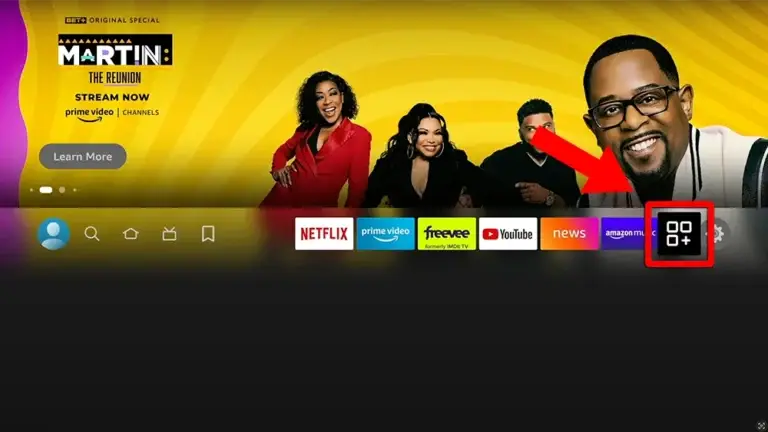
1. Go to the Apps menu page from the FireStick Home page.
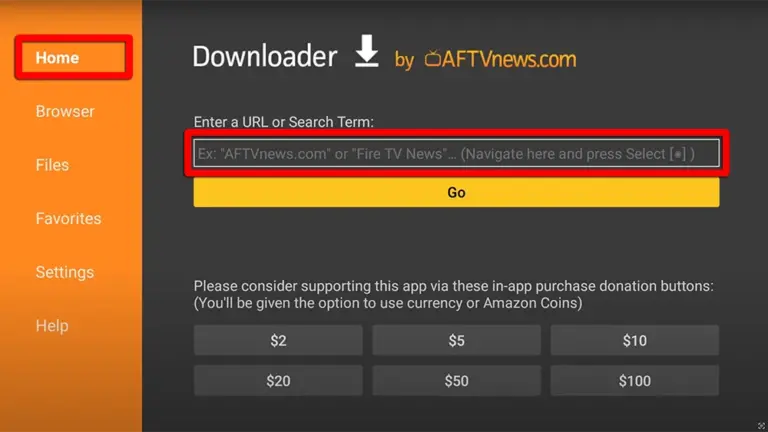
2. Open the Downloader app and select Enter a URL on the Home screen.
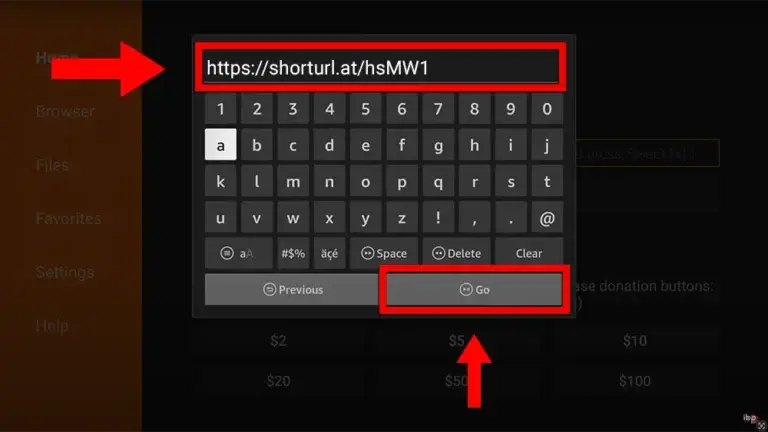
3. Type the following URL exactly as shown here: https://shorturl.at/hsMW1 and Click “GO”
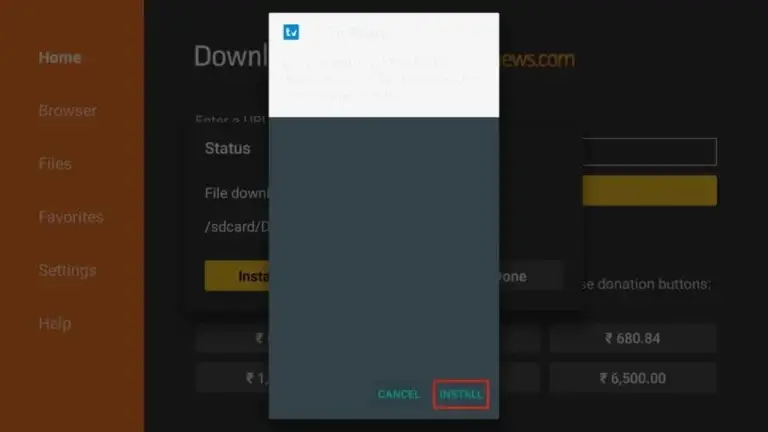
4. Click “Install” when prompted.
Effortless Configuration Guide for ibo Player Pro: Enjoy Your IPTV Instantly
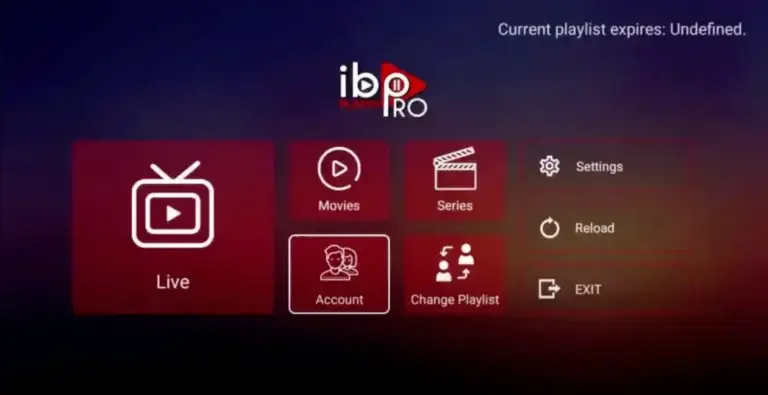
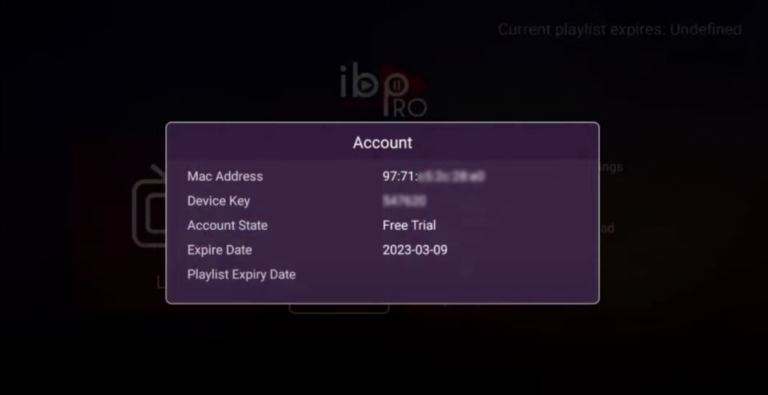
1. Open the App and Click on “Account” to see an activation screen displaying a unique activation code (MAC Address and Device Key).
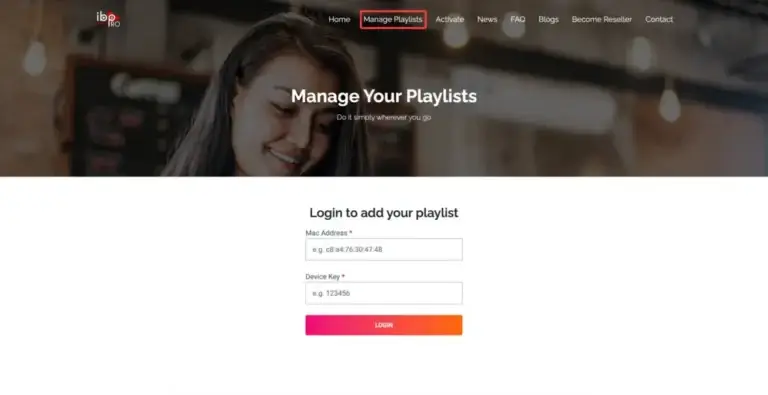
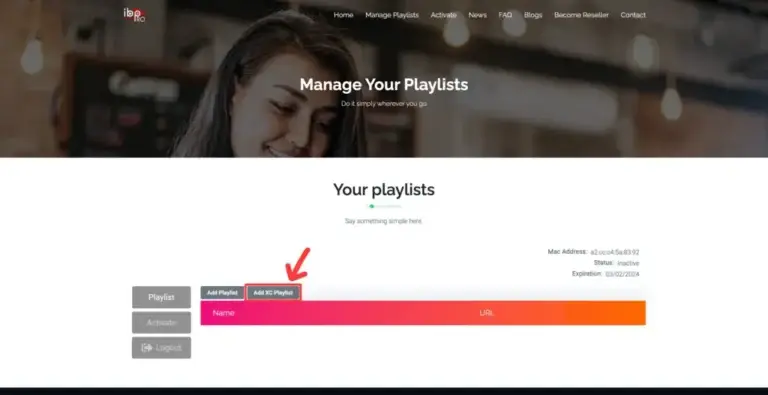
2. Visit ibo Player Pro website https://iboproapp.com and Click “Manage Playlists” in Menu section. Then Enter the MAC Address and Device Key displayed on your device screen and Click “Login“.
3. Click “Add XC Playlist” (recommended way).
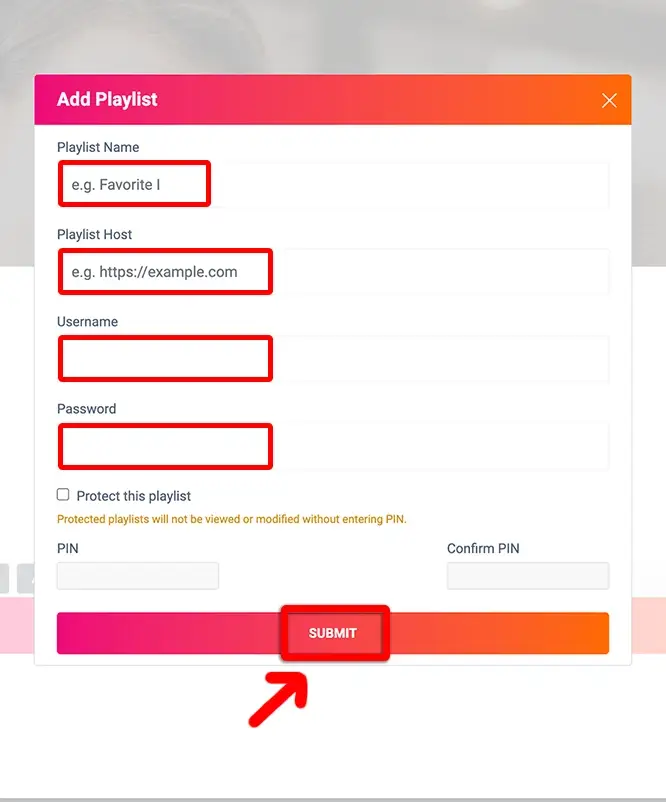
4. Enter “Area51iptv.net” as the Playlist Name in the first box. Then in the second, third, and fourth boxes, input the Xtream Codes login credentials (Server address (Playlist Host), Username and Password ) provided by us after subscribing. Finally, click “Submit” to proceed. Get Your Subscription Here.
5. After activation, return to your device and restart the ibo Pro Player app for the changes to take effect. Then, select “Continue“, followed by “Change Playlists“, and connect to your Area51 IPTV.net playlist. Have a great time!
NOTE: The app has a 7-day trial period; when it expires, go to https://iboproapp.com/manage-playlists, Log in with the MAC Address and Device Key from your app, then pay the one-time fee.
Congratulations! You’ve now completed the setup of the ibo Player Pro app for seamless streaming.