TiviMate Setup for Android & ChromeOS (Step‑by‑Step):
Install IPTV on TiviMate using M3U or Xtream Codes—screenshots, playlist import, EPG tips, and common fixes.
Follow the steps below to get TiviMate IPTV Player on your Android and ChromeOS devices.
Step 1: Open the Google Play Store, search for TiviMate IPTV Player, and click on “Install“.
Step 2: Configuration of TiviMate IPTV Player:
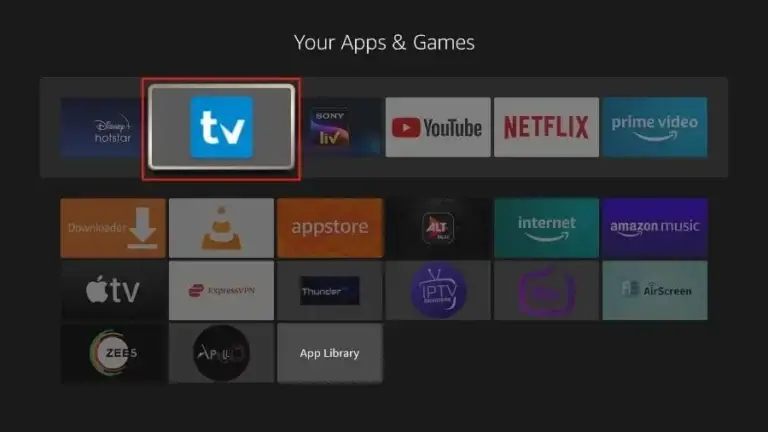
a. Open the TiviMate IPTV Player app.
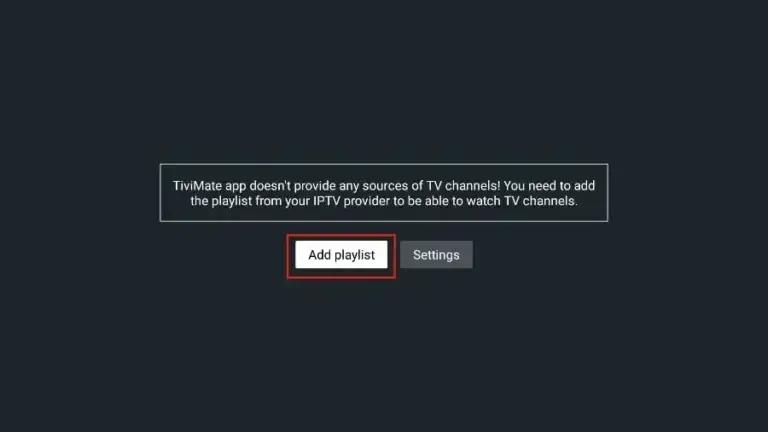
2. Select “Add playlist“.
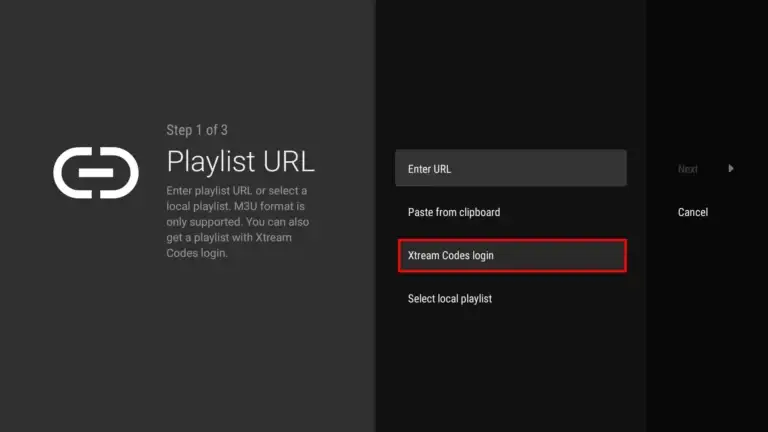
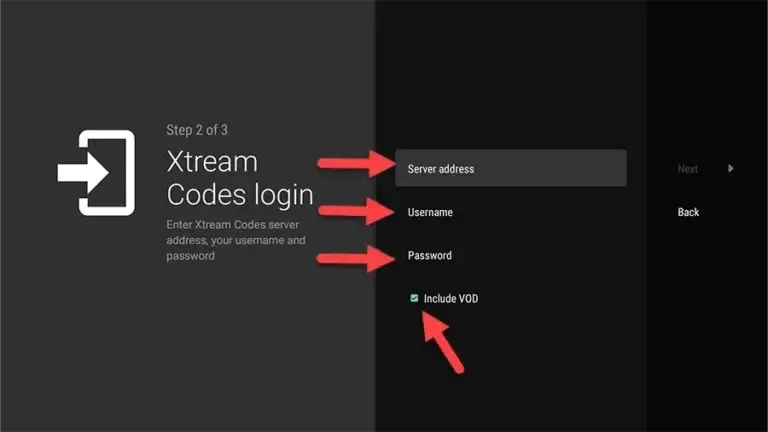
3. TiviMate will prompt you to add a playlist using an Xtream code, M3U link or Stalker portal. Click on “Xtream Codes login” and then “Next“.
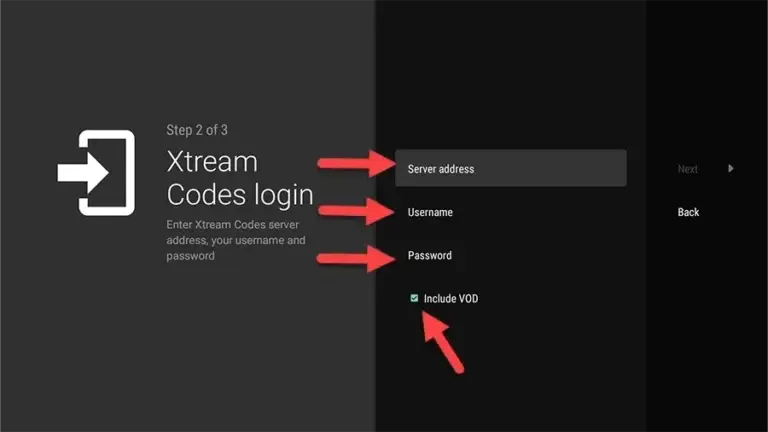
When you subscribe to Area51 IPTV receive an email containing your login details. Get your subscription Here and use your Xtream Codes login credentials (Server Address, Username and Password), then check “Include VOD” if you want VOD content.
When you subscribe to Helix IPTV , you’ll receive an email containing your login details. Get your subscription Here and use your Xtream Codes login credentials (Server Address, Username and Password), then check “Include VOD” if you want VOD content.
Go on and the channels will appear after a while
Congratulations! You’ve now completed the setup of the TiviMate app for seamless streaming.
Important About TiviMate App!
You can access Live TV channels solely through TiviMate as it requires a premium subscription for added features like adding channels to favorites, recording and watching movies and series. Despite the subscription requirement, TiviMate offers great value and superior functionality compared to other apps, which is why we highly recommend it for the best service experience. (You can use the app on a maximum of 5 devices)
If you want to pay TiviMate premium subscription, please follow these quick easy steps:
Step 1:
Access the Play Store on your Android Smartphone or Tablet. Download the TiviMate Companion app, open it, and select “Account”. Create your account and proceed with the payment.
The price for lifetime access: $29.99
The price for yearly plan: $9.99
Step 2:
Launch the TiviMate app on your Fire TV Stick, access settings, choose “Unlock Premium” and input the account details created in TiviMate Companion. This will grant you complete access to the TiviMate app.